How Sales Teams Set Up Ai Icp Scoring For Sales Navigator Leads From Day One
Learn how to set up AI ICP scoring for Sales Navigator leads from day one, so reps chase the right accounts first instead of drowning in cold lists.

A sales manager at a 40-rep SaaS org once described her team's Sales Navigator workflow like this: export 2,000 leads into a spreadsheet, dump them into the CRM, and let reps "just start calling from the top." No ranking. No filter for who actually looks like a customer. Just raw volume and hope. Three weeks later, half the list was untouched and the reps who did work it had burned their best hours on companies that would never buy.
That's not a training problem. It's a prioritization problem, and it's the exact gap AI ICP scoring for Sales Navigator leads is built to close. Instead of treating every export as one big undifferentiated pile, scoring ranks each lead against your actual ideal customer profile the moment it lands, so reps know who to call first, who to nurture, and who to skip entirely.
This guide walks through how to set that scoring up from day one, before your first Sales Navigator list ever hits a rep's queue. We'll cover how to define your ICP criteria, import leads correctly, configure scoring rules inside a platform like Linkziy, and build a prioritization workflow your team will actually follow instead of ignoring after week two.
Why Your Sales Navigator Export Is Useless Without Scoring
Sales Navigator is excellent at finding people who match a search filter. It's terrible at telling you which of those people are actually ready to buy. A search for "VP of Marketing, 200-1000 employees, SaaS" might return 3,000 results, but maybe 200 of them match your best-fit customer profile and only 30 show any recent buying signal. Without scoring, all 3,000 look identical in your CRM.
Reps respond to that ambiguity in predictable, unhelpful ways. Some work the list top-down in the order it exported, which is essentially random. Others cherry-pick companies they recognize by name, which introduces bias and misses better-fit accounts. Both approaches waste the first, highest-energy hours of a campaign on leads that were never going to convert.
AI ICP scoring fixes this by attaching a numeric or tiered priority to every lead the moment it's imported, based on firmographic fit, persona fit, and behavioral intent signals. Instead of a flat list, reps get a ranked queue: hot accounts at the top, cold ones flagged for later or automated nurture. Linkziy applies this scoring automatically during lead import from Sales Navigator, so the ranking exists before a single message goes out. That's the difference between a list your team works efficiently and a list that just sits there getting stale.
1. Define Your ICP Criteria Before You Import a Single Lead
Scoring only works if the rubric underneath it is accurate. Before you touch Sales Navigator, write down what your ideal customer actually looks like, using real closed-won data instead of a guess. Most teams skip this step and end up scoring leads against criteria pulled out of thin air, which produces confident-looking numbers that mean nothing.
Break your ICP into three categories:
- Firmographic criteria: industry, employee count, revenue band, funding stage, and geography. These are the "does this company even fit the shape of who we sell to" filters.
- Persona criteria: seniority level, department, and job title keywords. A perfect firmographic match means nothing if you're talking to someone with zero buying authority.
- Behavioral and intent signals: recent job changes, hiring surges in relevant departments, content engagement on LinkedIn, funding announcements, or technology adoption signals. These indicate timing, not just fit.
Pull this from your last 20-30 closed-won deals, not from a competitor's website or an assumption about who "should" buy. Look at the actual company sizes, actual titles, and actual signals that were present before those deals closed. That becomes your scoring rubric. A common mistake here is copying a competitor's stated ICP or an industry template instead of grounding it in your own pipeline data, which quietly bakes bad assumptions into every score that follows.
2. Import Your Sales Navigator List the Right Way
How you export matters almost as much as what you export. Use Sales Navigator's search filters to narrow the pool before you pull the list, rather than exporting a broad search and filtering later. Tighter searches on day one mean less noise for the scoring engine to sort through.
Once your search is dialed in, you have a few import paths into a platform like Linkziy: pulling directly from a saved Sales Navigator search, importing a list export, or pulling individual profile URLs. Each path should feed into the same enrichment and scoring pipeline, not a separate spreadsheet that needs manual cleanup first.
Here's the part teams underestimate: a raw CSV export from Sales Navigator is missing data your scoring model needs. It typically has name, title, and company, but not verified contact details, recent activity, or company-level signals like hiring trends or funding events. If you score against that incomplete data, you get a rubric running on guesses. That's why enrichment has to happen before scoring, not after. Linkziy's AI lead enrichment fills in verified emails, phone numbers, and activity signals automatically during import, so the scoring engine has real data to work with instead of blanks.
2. Configure Your AI ICP Scoring Rules Inside Linkziy
With clean, enriched data flowing in, the next step is telling the system how to weigh it. Not every criterion matters equally. A company with 500 employees in your target industry but no recent hiring activity might still outrank a smaller company that just posted five open sales roles, because that hiring surge is a stronger buying signal than headcount alone.
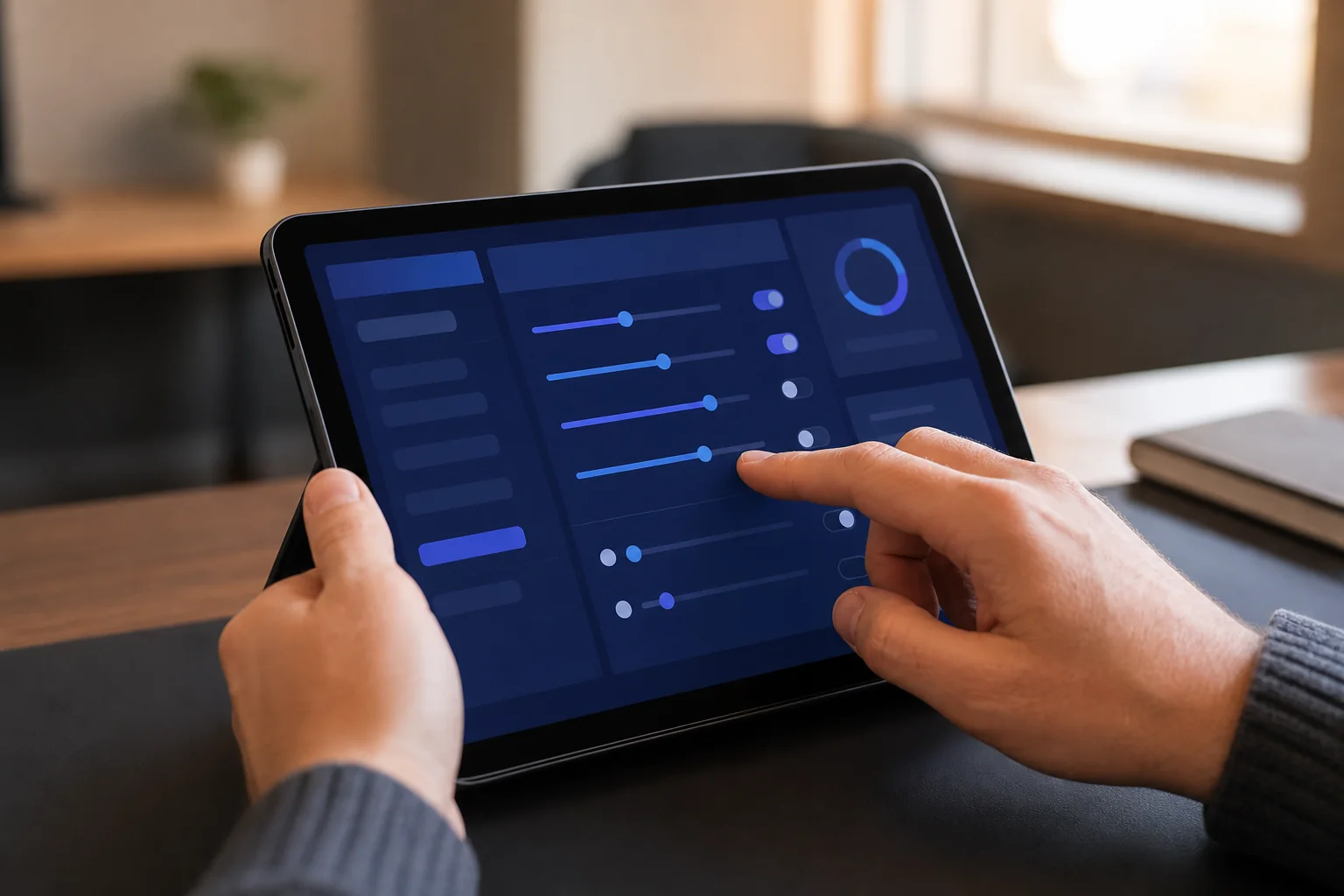
Inside Linkziy, scoring rules are configured as weighted categories that combine into a single priority tier per lead:
- Firmographic fit (weighted 30-40%): industry match, company size band, and geography, scored against the rubric you built in step one.
- Persona fit (weighted 25-35%): title and seniority match, with extra weight for decision-makers versus influencers.
- Intent signals (weighted 25-35%): recent job change, hiring activity in relevant departments, post engagement, or profile activity that suggests active research.
A simple point-based example: firmographic match worth up to 40 points, persona match worth up to 35 points, and intent signals worth up to 25 points, for a maximum score of 100. Leads scoring 70+ get tagged Hot, 40-69 get tagged Warm, and anything below 40 gets tagged Cold. Those thresholds aren't universal, they should reflect your actual close-rate data once you have a few weeks of results to check against.
The reason AI scoring beats a static spreadsheet formula here is the enrichment feedback loop. As Linkziy pulls fresh activity signals (a lead switching jobs, a company posting new roles, someone engaging with your content), scores update automatically instead of going stale the day after import. A spreadsheet scored once at import time is already outdated by the following week.
3. Build a Prioritization Queue Reps Actually Follow
Scoring is only useful if it changes what reps actually do. The goal is a queue sorted by tier, not a tag sitting unused in a CRM field. Hot leads should surface first in whatever view your reps work from daily, whether that's Linkziy's dashboard or a synced CRM pipeline.
From there, different tiers should get different treatment, not the same generic sequence:
- Hot tier: high-touch, manually reviewed outreach with heavier personalization, often prioritized for same-day contact.
- Warm tier: AI-personalized sequences with A/B variants, run at a steady but automated cadence.
- Cold tier: longer nurture sequences, or held back entirely until a new intent signal bumps the score up.
Score tier should also inform when and how a connection request goes out. A lead scored Hot but with zero prior engagement is still a cold contact from LinkedIn's perspective, and blasting a connection request without any warmup tends to tank acceptance rates. Pairing scoring with a proper safe, human-paced outreach approach and engagement-based warmup before the connection request keeps acceptance rates high even on your best-fit leads. If you haven't built that sequencing step into your process yet, it's worth reading through how to warm leads up before that first ask, since scoring tells you who to prioritize but warmup determines whether they'll actually accept.
4. Compare Scoring Approaches: Manual vs Spreadsheet vs AI-Native
Most teams don't start with AI scoring. They start manually tagging leads, then graduate to a spreadsheet formula, and eventually hit a ceiling where neither approach scales. Here's how the three methods actually compare once you're importing lists on a weekly basis.
| Factor | Manual Tagging | Spreadsheet Formulas | AI-Native Scoring (Linkziy) |
|---|---|---|---|
| Setup time per list | Hours per import, done by hand | Moderate, but formulas need rebuilding as criteria shift | Minutes, applied automatically on import |
| Accuracy of intent signals | Low; relies on rep memory and guesswork | Low; static data, no live activity feed | High; pulls live job changes, hiring activity, engagement |
| Scales with list volume | Breaks down past a few hundred leads | Breaks down past a few thousand rows | Scales to tens of thousands of leads without added effort |
| Score freshness over time | Rarely updated after first pass | Static unless manually recalculated | Refreshes as new enrichment data arrives |
| Consistency across reps | Varies rep to rep | Consistent, but rigid | Consistent and adaptive to new signals |
| Ongoing maintenance | High, repeated every import | Moderate, formulas need periodic fixes | Low, rubric adjusted quarterly, not weekly |
Manual tagging works fine for a founder working 50 leads a month. It falls apart the moment you're importing multiple Sales Navigator lists a week across a team of reps. Spreadsheet formulas buy you some time, but they're static: a lead's score doesn't move even after they change jobs or start engaging with your content, because nobody's re-running the formula daily. AI-native scoring is the only approach of the three that scales with volume and stays current without someone babysitting it.
5. Monitor, Refine, and Attribute Pipeline Back to Score Tiers
A scoring rubric built on day one is a hypothesis, not a finished product. The only way to know if it's right is to track what actually happens to leads in each tier. Pull conversion rate by tier after your first 30-60 days: are Hot-tier leads actually converting to meetings and pipeline at a meaningfully higher rate than Warm or Cold? If not, the weighting in step three needs adjusting.

This is where a proper pipeline attribution setup earns its keep. Instead of guessing whether ICP scoring is actually improving close rates, an attribution dashboard shows exactly which score tiers are producing booked meetings and closed revenue, not just replies. Teams that skip this step often keep running a scoring rubric that felt right at launch but was never validated against real outcomes.
Feed closed-won and closed-lost data back into your ICP definition every quarter. Markets shift, your product evolves, and the buyer who was your best-fit customer eight months ago might not be anymore. Treat the rubric as a living document, not a one-time setup task, and revisit thresholds whenever your close rates start drifting from what the scores predicted.
Common Mistakes Teams Make With ICP Scoring on Day One
A few patterns show up consistently in teams that set up scoring badly, then blame the concept instead of the execution:
- Scoring on firmographics alone. Company size and industry tell you fit, not timing. Ignoring intent signals like job changes or hiring surges means treating a lead that's ready to buy the same as one that's a year away.
- Never revisiting thresholds after month one. A "Hot" cutoff of 70 points might be too generous or too strict once real conversion data comes in. Teams that set it once and forget it end up with tiers that don't reflect reality.
- Letting reps manually override scores without data. Gut instinct has a place, but if reps routinely bump low-scored leads to the top because "this one feels right," the scoring system stops meaning anything and you lose the ability to measure it.
- Importing without enrichment first. Running scoring against a raw Sales Navigator export with missing fields produces scores built on gaps, not signal. Enrichment isn't optional, it's the input the whole model depends on.
Each of these is fixable, but they're easier to avoid from the start than to untangle after a few months of bad data has already shaped how reps work their queues.
Frequently Asked Questions
What is ICP scoring for Sales Navigator leads?
ICP scoring ranks leads pulled from Sales Navigator against your ideal customer profile, combining firmographic fit, persona fit, and intent signals into a single priority tier (often Hot, Warm, or Cold). It tells reps which leads to work first instead of leaving them to guess.
How is AI ICP scoring different from manual lead scoring?
Manual scoring relies on a rep or manager tagging leads by hand, which doesn't scale and rarely gets updated. AI ICP scoring pulls live enrichment data, job changes, hiring activity, engagement signals, and recalculates scores automatically, so the ranking stays current as new information comes in.
Can I change scoring rules after leads are already imported?
Yes. Scoring rules in Linkziy can be adjusted at any time, and existing leads are re-scored against the updated rubric rather than requiring a fresh import. This matters because your ICP will shift as you gather more closed-won data.
Does ICP scoring work with multiple Sales Navigator seats or accounts?
Yes, scoring rules can be applied consistently across multiple connected Sales Navigator accounts and LinkedIn seats, which matters for agencies and larger sales teams managing several reps' pipelines under one scoring standard. If you're comparing tools for multi-account management specifically, our breakdown of HeyReach vs Linkziy for agencies covers how multi-seat scoring and reporting differ across platforms.
According to LinkedIn's own sales research, reps who prioritize accounts using structured buying signals consistently outperform those working lists in export order. And per Gartner's B2B buying research, buying groups now involve more stakeholders and more research before a rep ever gets a reply, which is exactly why timing signals like job changes and hiring surges matter as much as firmographic fit when you're deciding who to contact first.
Get Your Next Sales Navigator Import Scored From Day One
None of this requires a data science team or a six-week rollout. It requires deciding your ICP criteria before you export a list, enriching that list on import, and letting a scoring engine rank leads before reps ever open the queue. Teams that do this stop wasting their best selling hours on the wrong accounts and start working pipeline in the order it's actually likely to close.
If your current process still means dumping a Sales Navigator export into a spreadsheet and hoping reps figure out who matters, it's costing you pipeline every week you run it that way. Start free and score your next Sales Navigator import automatically, or schedule a demo to see how ICP scoring, enrichment, and prioritized outreach sequencing work together inside Linkziy. If you're managing this across a team or multiple client accounts, talk to sales about setting up scoring rubrics at scale, or view pricing to find the right plan for your team's import volume.